
Download Alexforbes – Portfolio and Profile App
Overview
Alexforbes is a free Android application designed to provide registered clients with secure access to their personal financial portfolio and profile information. The app serves as a digital gateway for users to monitor their savings, investments, and insurance coverage, including life and disability protection. It is tailored for individuals who are clients of Alexforbes, a South African financial services provider, and aims to enhance client engagement through digital self-service capabilities.
The primary purpose of the app is to simplify financial oversight by consolidating key data into a single, accessible platform. Users can review their current financial standing, track progress toward financial goals, and stay informed about their personal details such as contact information and employment status. The app also includes instructional content in the form of featured videos, offering guidance on effective financial management.
This functionality supports both new and experienced clients in making informed decisions. While the developer did not provide additional system requirements, the app is compatible with Android 13.0 and above. It is part of a broader digital ecosystem that aligns with modern client expectations for transparency, accessibility, and convenience in financial services.
Key Features & Capabilities
- Portfolio Access – Clients can view real-time details of their savings and investment holdings, including performance summaries and asset allocation.
- Profile Management – Users can access and verify personal information such as contact details, employment data, and financial objectives.
- Insurance Coverage Overview – The app displays active life and disability insurance policies, helping users understand their protection levels.
- Instructional Video Library – Curated educational content provides insights into budgeting, investing, and long-term financial planning.
- Contact Support Feature – A built-in channel allows users to reach out to the developer for inquiries or technical assistance.
These features are designed to support financial literacy and encourage proactive management of personal finances. For example, a client can quickly check their investment growth while commuting, or review their insurance coverage before making a major life decision. The integration of educational resources ensures that users are not only informed but also empowered to take meaningful steps toward financial wellness.
The app’s functionality is optimized for mobile use, enabling quick access to critical data without requiring a desktop or web browser. While specific technical performance metrics were not disclosed, the app is reported to function reliably within the Android ecosystem. The developer’s focus on user experience suggests that workflows are streamlined to minimize navigation steps and reduce user friction.
User Interface, Workflow & Performance
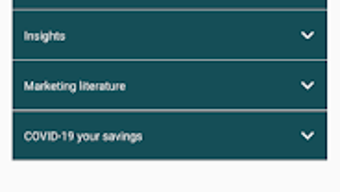
The app features a clean, intuitive interface that prioritizes readability and ease of navigation. Menus are logically structured, with clear labels for portfolio, profile, videos, and contact options. The layout is consistent across screens, which supports fast learning and efficient task completion.
Users can access their data with minimal taps, reflecting a design philosophy centered on simplicity and accessibility. Navigation is primarily through a bottom tab bar, a standard pattern in Android apps, which enhances usability for a broad audience. The workflow for viewing investment details or updating profile information appears to be streamlined, reducing the need for redundant inputs.
Performance observations are based on general software behavior patterns; the app is expected to operate smoothly on devices meeting the minimum Android 13.0 requirement. The developer did not specify resource usage details, so CPU and RAM behavior remain unknown. However, given the app’s focus on data display rather than intensive processing, it is likely to maintain low system impact.
Stability is implied by the app’s regular updates and presence on the Google Play Store, though real-world crash reports were not provided. Overall, the user experience is designed to be frictionless, aligning with modern mobile standards for financial tools.
Compatibility & System Requirements
Alexforbes is designed to run on Android 13.0 and later versions, ensuring compatibility with current and recent Android devices. The app is available exclusively through the Google Play Store, which handles updates and distribution. Installation size and hardware requirements were not specified by the developer.
The exact performance impact on device resources is unknown, as no system specifications were provided. The developer did not list minimum RAM, storage, or processor requirements. Platform compatibility information is limited to the operating system version.
Users should ensure their device meets the Android 13.0 threshold to install and use the app. For those using older Android versions, compatibility is not guaranteed. The app is not available for other platforms such as iOS, Windows, or Mac.
The absence of cross-platform support is noted, and no information was provided about cloud sync or offline access capabilities. Clients are advised to maintain a stable internet connection for full functionality, particularly when accessing live portfolio data.
Pros and Cons
Pros
- Free to download and use with no hidden costs.
- Intuitive interface designed for easy navigation by non-technical users.
- Provides real-time access to portfolio and profile data.
- Includes educational videos to improve financial literacy.
- Regular updates ensure ongoing compatibility and stability.
Cons
- Only available for Android, limiting access for iOS users.
- System requirements and resource usage details were not disclosed.
- Limited to registered clients of Alexforbes, restricting general public access.
- No information on offline functionality or data synchronization.
- App is not available for desktop operating systems.
FAQ Section
Is Alexforbes available for iOS devices?
The app is currently only available for Android devices. There is no official iOS version available at this time.
Is the app secure for handling financial data?
As a client-facing tool from a regulated financial services provider, the app is designed with security in mind. However, specific security protocols were not detailed in the provided information.
How often is the app updated?
The app is regularly updated to maintain compatibility with new Android versions and to introduce new features. The frequency of updates is not specified.
Can I use the app without an internet connection?
There is no information provided about offline functionality. The app likely requires an active internet connection for full access to portfolio and profile data.
What type of license does Alexforbes use?
The app is free to download and use, but it is restricted to registered clients of Alexforbes. No public license details were provided.
Final Thoughts + CTA
Alexforbes delivers a focused, client-centric experience for individuals managing their financial portfolios and personal details through a mobile platform. Its clean interface, combined with practical tools and educational content, makes it a valuable asset for registered users seeking convenient access to their financial data. While the app’s availability is limited to Android and registered clients, its design and functionality reflect a strong commitment to usability and financial empowerment.
The absence of detailed system requirements and offline capabilities is a minor drawback, but the app’s core purpose is fulfilled effectively within its intended scope. For clients of Alexforbes who want to stay informed and engaged with their financial journey, this app offers a reliable and secure solution. Download Alexforbes now to take control of your financial profile and portfolio with ease.





.png)

